
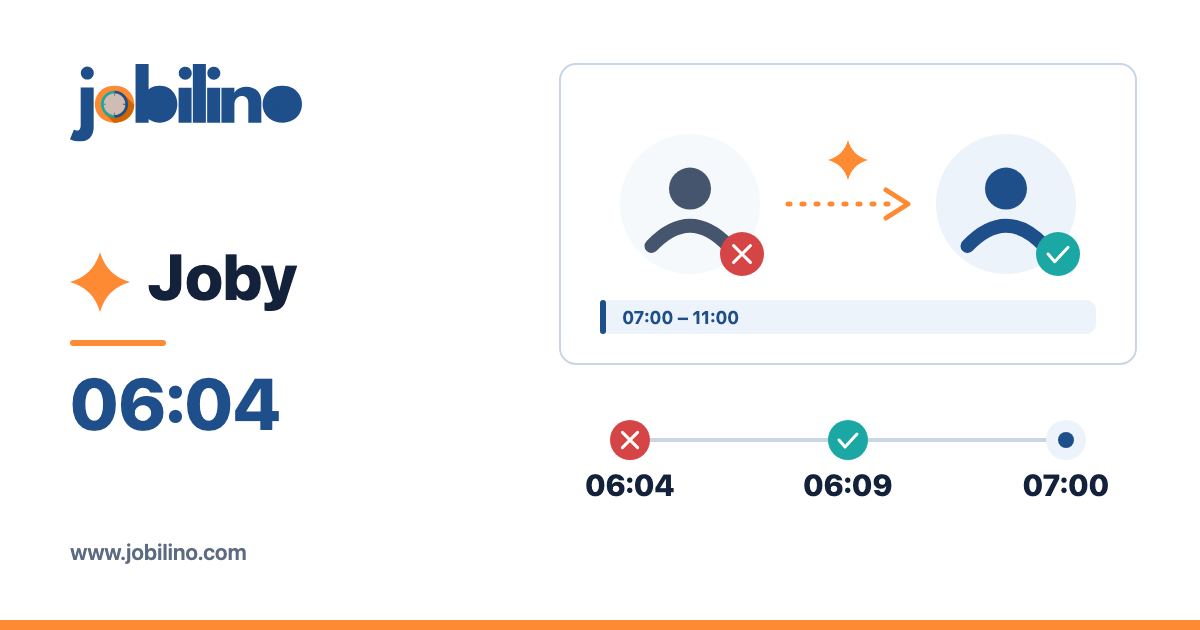
6:04 am, one message: “I'm ill, can't come in today.”
The site opens at seven. By then someone has to be there who gets the key, has had the induction and is not already assigned elsewhere today. What follows is familiar to anyone who schedules staff: a look at the plan, then at the leave list, then the first phone calls.
Finding cover is rarely difficult. It is slow – because four checks sit in four different places and are done separately for every person.
The four checks every stand-in has to pass
- Is the person available today? No leave, no sickness, no other assignment at the same time.
- Are they allowed to work there? Does the client require a qualification or induction? Is the person blocked for this client?
- Does it fit their hours? Anyone already at their contracted hours this week goes into overtime by stepping in.
- Does it fit the rest period? Someone who worked until 11 pm yesterday is not a good candidate for 6 am – the minimum rest between two assignments depends on the rules that apply where you operate.
Then there is a fifth question that appears on no list but decides the quality: does the person know the site? Someone who has been there before needs no briefing over the phone.
Why it takes so long by hand
Each of these checks is simple. The combination is what makes it laborious: five possible candidates times four checks means twenty looks at the plan, the absence list, the hours account and the client file. And because it happens under time pressure, one check usually gets dropped – typically the third or fourth. You see the result later: as overtime in payroll or as a shortened rest period.
The most common way out is therefore to call the same two or three people you know will step in. That works – until exactly those people are overloaded.
Step 1 without AI: the sick note has to reach the plan
Before any technology helps, the absence has to be recorded where planning happens. In many businesses it first sits in a message on the team leader's phone – and the plan knows nothing about it.
In Jobilino's staff scheduling a recorded absence takes effect immediately: assignments already planned for that person are flagged as needing cover, the planners responsible receive a message, and a dashboard card holds the affected days until they are resolved. Suitable people are suggested for the stand-in – by fixed rules, with reasons.
That alone takes most of the sting out of the situation: you no longer search for which assignments are affected. You see them.
Step 2 with AI: the round of calls becomes one question
An AI assistant in the plan turns those twenty looks into one question in plain language:
“Who could cover for Anna today from 7 to 11 am at the Station site without going into overtime?”
The assistant runs the same checks you would run by hand for everyone who might qualify and replies with a list and its reasons: who is free, who has the qualification, who still has hours left, who knows the site. Next to it is a button to hand the assignment to the chosen person – and only your click changes the plan.
This is how Joby, the AI assistant in Jobilino, works: it suggests, you confirm. Absences, client exclusions and missing qualifications cannot be bypassed through the AI either. More on AI staff scheduling.
What the AI does not decide
Three things deliberately stay with people:
- The choice. The assistant supplies the candidates. Whom you ask is up to you – you know who already stepped in twice last week.
- The conversation. No system settles whether someone is willing to step in. The list only tells you whom it makes sense to call.
- The exception. Notices about rest periods and weekly hours warn but do not block. Whether an exception is justifiable remains your responsibility.
Checklist: cover in five minutes
- Enter the sick note in the system straight away – not later in the morning.
- Look at the affected assignments: which sites, which times, how urgent?
- Call up the suggestions or ask the assistant.
- Call the first suitable person – with site, time and duration already in mind.
- Hand over the assignment. The stand-in gets the change as a push notification on their phone, in their own language.
So it goes even faster next time
The best search for cover is the one that builds on good master data. Three things pay off in particular:
- Keep qualifications up to date. If the system shows who has which induction, nobody is found out only on site.
- Train more than one person per site. “Knows the site” is the criterion that separates a stand-in from a stopgap.
- Record demand. If the plan knows how many people a site needs, it shows the gap by itself – even when the sick note covers days that have not been planned yet.
How visits are then documented at the client's premises and invoiced is covered under job management.
Conclusion
A sick note at six in the morning remains unpleasant. But it no longer has to mean half an hour on the phone. When the absence reaches the plan immediately and the search for cover is a single question, what is left for you is the part only a person can do: call the right one.
Would you like to see this with your own sites? Book a short demo – we play through a sick note on a real plan.